Building Better AI Workflows With TYPO3 Brand Context
Give AI the right context, and it can create content that truly fits your brand. AI Context for TYPO3 helps manage your brand voice, audience, keywords, and content rules, making AI workflows more consistent and effective.
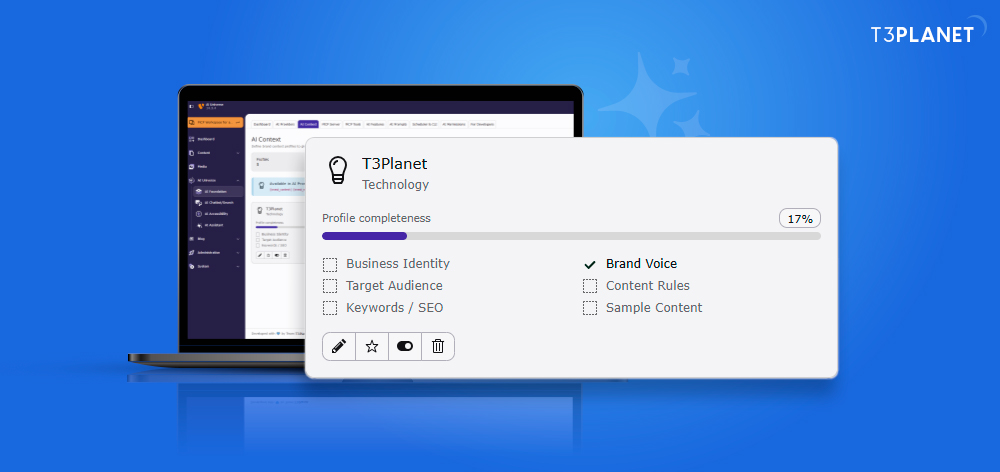
Give AI the Right Information From the Start
Create a profile that explains how your business communicates and what your content should achieve.
- Brand Background: Add company details, industry, and website information.
- Writing Preferences: Define tone, language, and style.
- Audience Knowledge: Describe your target readers and their expectations.
- Content Standards: Set required rules, preferred terms, and words to avoid.
- SEO Guidelines: Include target keywords and competitor information.
- Supporting Material: Add sample content, documents, and compliance notes.
Website research can help you prepare an initial profile. Review the collected information and correct any mistakes before saving it.
Use One Knowledge Base Across TYPO3 AI Extensions
AI Context helps supported AI extensions use shared brand information for different tasks. These include AI Assistant, AI Chatbot, AI Search, AI Accessibility, AI Localization, and AI Extension Builder.
This shared approach helps teams follow consistent guidelines without entering the same business details every time they use an AI tool.
Keep Agency and Client Work Separate
When working with several clients, teams need to manage different brand requirements carefully. AI Context supports separate profiles and permissions to make this easier.
- Maintain individual profiles for each client.
- Apply the right brand guidelines to each project.
- Control who can edit profile information.
- Update details as client requirements evolve.
This helps teams keep information organized and avoid mixing content rules between brands.
Connect Context With Your Existing AI Workflow
AI Context can work with reusable prompts, MCP tools, and AI agents to support repeatable processes. Supported AI providers include OpenAI, Anthropic, Gemini, Mistral, and Ollama.
Teams can reuse saved brand knowledge across tasks, reducing repetitive setup and making workflows easier to manage.
Get More Reliable Results With Regular Reviews
A context profile should reflect your current business, not outdated information. Follow these practices to keep it useful:
- Provide specific and accurate brand details.
- Add examples that show the expected writing style.
- Verify information gathered through website research.
- Check the selected profile before each task.
- Update old keywords, documents, and instructions.
- Review generated content before publishing.
Keep AI Workflows Responsible
AI Context can support request tracking, human review, transparency, and compliance notes. These practices help teams manage AI use, but they do not guarantee legal compliance or replace appropriate legal checks.
Conclusion
AI Context helps TYPO3 teams connect brand knowledge with everyday AI tasks. By keeping guidelines organized, using the correct profiles, and reviewing generated content, teams can reduce repeated work and create more relevant, consistent content across their digital projects.