TYPO3 Theme Manager: Simplifying Themes for Modern Websites
Creating and managing TYPO3 websites should not require rebuilding the same features for every project. The TYPO3 Theme Manager concept offers a more flexible way to handle website themes, reuse common elements, and make development and maintenance easier.
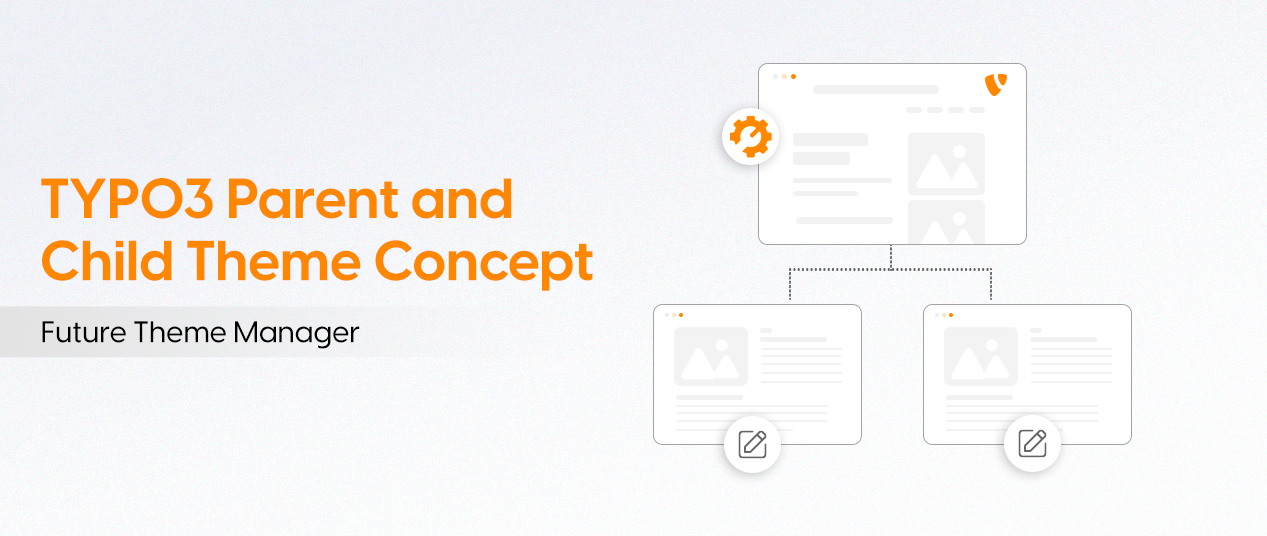
Making Theme Development More Efficient
The TYPO3 Theme Manager idea was presented at TYPO3 Developer Days 2019 to improve how themes are created, customized, and maintained.
Key Benefits:
- Quick theme installation and configuration
- Reusable layouts and website settings
- Less manual development work
- Flexible design customization
- Easier website management and updates
The Idea Behind Parent and Child Themes
A parent and child theme structure allows developers to share essential features while giving each website its own design.
- Parent Theme: Provides shared layouts, templates, styles, and common configurations.
- Child Theme: Adds unique branding, custom layouts, and project-specific functionality.
This approach helps developers maintain consistency without limiting customization.
Useful TYPO3 v14 Features
TYPO3 offers several tools that make theme development more organized.
- Camino Theme: Provides a starting design for simple websites.
- Site Sets: Allow common configurations to be reused.
- Content Blocks: Help create custom content elements.
- Site Packages: Organize website templates and resources.
- Composer: Manages packages and required dependencies.
These features support modern TYPO3 development, although they do not replace a complete Theme Manager.
How ns_basetheme Supports Website Projects
Developed by NITSAN Technologies, ns_basetheme provides a reusable framework containing common layouts, templates, and configurations.
Developers can use child themes such as Clean Blog to customize website designs while keeping shared features separate.
Basic Theme Installation
- Prepare the TYPO3 environment using Composer and DDEV.
- Install ns_basetheme and the required child theme.
- Configure Site Sets and website settings.
- Clear caches and test the frontend.
Creating Custom TYPO3 Content
TYPO3 supports several approaches for developing custom content elements.
- Content Blocks: Build structured content elements.
- Mask: Create custom fields through the backend.
- DCE: Manage flexible content structures.
- Flux: Develop content using Fluid templates.
- Core CType: Define custom content types manually.
These tools help developers build content that fits different website requirements.
Managing Website Themes and Updates
Using shared themes can reduce maintenance work across multiple websites.
Recommended Practices:
- Review TYPO3 and theme compatibility.
- Keep shared components and dependencies updated.
- Test changes in child themes.
- Check website layouts and performance.
- Verify updates before deployment.
Choosing a Suitable TYPO3 Theme Structure
Different website requirements call for different solutions.
- Camino: Suitable for basic websites.
- Site Packages: Useful for custom website projects.
- Parent and Child Themes: Best for websites sharing common features.
- Site Sets: Helpful for reusable configurations.
- ns_basetheme: Supports shared theme development.
Future Improvements in TYPO3 Theme Management
A complete TYPO3 Theme Manager could bring important theme features into one central interface.
Potential Features:
- Simple theme installation and management
- Visual theme editing and live previews
- Compatibility and dependency checks
- Easier updates and rollback options
- Improved parent and child theme controls
Conclusion
The TYPO3 Theme Manager concept provides a more organized approach to website development through reusable themes and flexible configurations. By combining parent and child themes with modern TYPO3 features, developers can save time, simplify customization, and create websites that are easier to update and maintain.