Create Custom TYPO3 Content Elements Easily with Mask
Creating custom content elements in TYPO3 often requires working with TCA, TypoScript, and Fluid templates. TYPO3 Mask makes this process easier with a drag-and-drop interface that helps developers build reusable content elements without writing all the configuration manually.
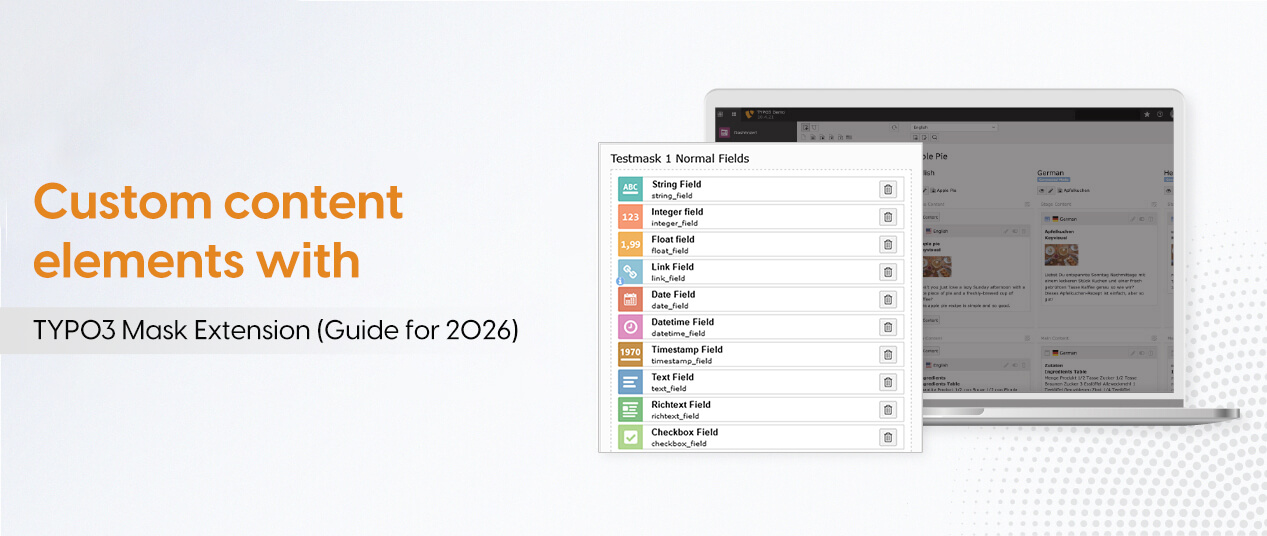
What Is TYPO3 Mask?
TYPO3 Mask is an extension that helps you create custom content elements through the TYPO3 backend. It automatically generates the required TCA, TypoScript, and configuration files.
You can use it to build elements such as:
- Hero banners
- Teaser boxes
- FAQ sections
- Image and text blocks
- Custom forms
How to Install TYPO3 Mask
1. Install with Composer
Run this command in your project directory:
composer require mask/mask2. Install Required Dependencies
Install Fluid Styled Content if it is not already available:
composer require typo3/cms-fluid-styled-content3. Configure TypoScript
- Open the Template module in the TYPO3 backend.
- Select your website template.
- Include Mask's static TypoScript.
- Make sure Fluid Styled Content is included.
Create Your First Custom Content Element
- Open the Mask module in the TYPO3 backend.
- Click Create New Content Element.
- Enter a name, such as Teaser Box or Hero Banner.
- Add fields using the drag-and-drop interface.
- Configure field labels, descriptions, and types.
- Save your element.
- Open a page and add the new element from the content element wizard.
Important Mask Features
- Drag-and-drop builder: Create custom fields without writing complex code.
- Automatic TCA generation: Mask creates the required field configuration.
- Element metadata: Add titles, descriptions, icons, and colors for editors.
- Reusable configuration: Store configuration files in your sitepackage.
- Page fields: Add custom fields to TYPO3 page records.
Mask vs. Manual TYPO3 Development
Using Mask:
- Build elements through the backend interface.
- Reduce manual TCA and TypoScript work.
- Make content creation easier for editors and integrators.
Using the manual Core method:
- Write TCA and TypoScript configurations yourself.
- Create and maintain Fluid templates.
- Get more control over complex or specialized elements.
Choose Mask when you need reusable elements and faster development. The manual Core method may be better for small projects or highly customized requirements.
Best Practices for TYPO3 Mask
- Keep Mask configuration files in version control.
- Organize templates inside your sitepackage.
- Use unique and clear field names.
- Add useful descriptions and icons for editors.
- Test custom elements before deploying changes.
- Check Mask compatibility with your TYPO3 version.
Conclusion
TYPO3 Mask makes custom content element development easier by reducing manual configuration work. Its visual builder, automatic TCA generation, and reusable settings help developers and agencies create flexible content structures while improving the backend experience for editors.