A Web Calculator Result Is Only as Clear as Its Inputs
Online calculators can turn a complicated question into a single number, category, or recommendation. A few fields are completed, a button is selected, and the page displays an answer that appears precise. It is tempting to copy that answer and treat the calculation as self-explanatory.
The result may depend on defaults that were never noticed, values rounded before calculation, regional units, an unstated effective date, or a rule that has since changed. Another person can open the same address and obtain a different answer because the tool was updated or their initial settings were different.
When a calculated result supports research, planning, eligibility screening, cost comparison, or another decision, preserve the conditions that produced it. A reproducible record should show the question, inputs, assumptions, method, version context, and limitations—not only the final output.
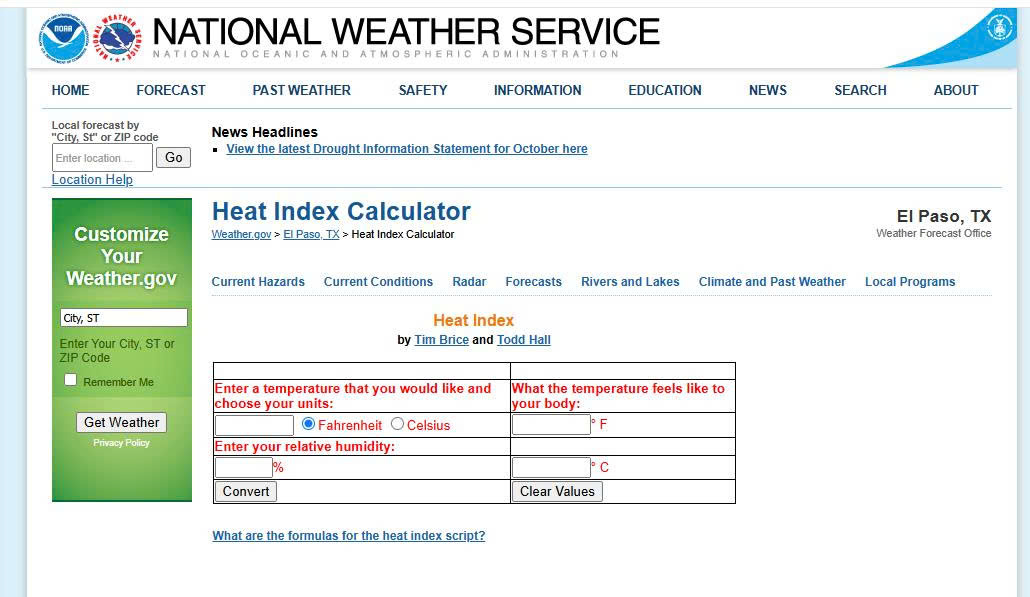
Define the Question Before Entering Values
Start by writing the exact question the calculator is expected to answer. A general goal such as “estimate the cost” is not enough if the tool can calculate an initial fee, recurring charge, total over time, or amount before taxes.
Clarify:
- What quantity or classification is needed
- Who or what the result applies to
- The relevant date, region, plan, or rule set
- Whether the result is an estimate or an operative decision
- What will happen if the result is wrong
The consequence determines the verification effort. A casual conversion may require only a unit check. A result affecting payment, legal obligations, health, eligibility, or regulated work should be confirmed through the responsible organization’s current rules or a qualified professional.
Read the calculator’s title and description. A tool labeled “monthly estimate” should not be presented as a final annual total. A screening tool can indicate which path to investigate without deciding whether someone formally qualifies.
Record the output type before calculating. It may be a number, range, percentage, date, band, warning, or suggested next step. This helps prevent a broad interpretation of a narrowly defined result.
Capture Every Input and Default
Do not record only the fields you actively changed. Calculators often begin with preselected values, hidden assumptions, or remembered choices from an earlier visit.
List every visible input and its state:
- Entered numbers and text
- Selected units and currency
- Region, language, or category
- Date or period
- Checkboxes and optional conditions
- Sliders and their exact displayed values
- Preselected options
- Blank fields and how the tool treats them
Reset the calculator before beginning when a reset control is available. If there is no reset option, open it in a private or clean session and compare the defaults. A saved account or cookie may restore earlier inputs.
Watch for fields that appear only after another choice. Selecting a business category may reveal different questions from selecting an individual category. Record the sequence because another reader may not see the same fields from the default view.
Avoid including personal identifiers, account numbers, health details, or confidential business data in a shared calculation note. Replace sensitive values with authorized examples or describe the input category without exposing the value.
Find the Rule Behind the Output
Look for a methodology note, formula, assumptions section, help article, source table, policy reference, or version date. The calculator interface may simplify these materials, but they explain what the output can establish.
Identify whether the tool uses:
- A direct mathematical formula
- A table of rates or thresholds
- A policy or eligibility rule
- A model based on sample data
- A conversion factor
- A set of publisher-defined assumptions
If no method is disclosed, state that limitation. Repeatedly entering values can reveal behavior, but it does not prove the exact formula or authority behind the result.
Check the date attached to the rule rather than relying on the website footer year. Rates, thresholds, tax rules, service plans, and conversion sources can change. A current-looking interface can still apply an older dataset.
Distinguish the organization responsible for the rule from the platform hosting the calculator. A third party may implement a calculation while another body defines the underlying requirements. Cite the layer that supports the claim you are making.
Test Units, Rounding, and Boundaries
A plausible output can still be wrong for the task if the inputs use different units. Confirm whether a distance is entered in kilometers or miles, a weight in kilograms or pounds, a rate as a percentage or decimal, and a duration in calendar or working days.
Record how many decimal places the tool accepts and displays. It may round the input before calculating, calculate with greater precision and round only the output, or truncate values. These approaches can produce different results near a threshold.
Test one simple case whose answer can be checked independently. This can reveal a unit mismatch or an unexpected default. Then test values immediately below, at, and above an important boundary when permitted.
For example, if a category changes at 100 units, compare 99.9, 100, and 100.1 rather than assuming whether the boundary is inclusive. Record the displayed precision; the calculator may accept more digits than it shows.
Change only one input at a time. If several values are adjusted together, it becomes difficult to determine which condition caused the output to change.
Do not reverse-engineer a protected or consequential system beyond authorized use. Boundary testing should clarify public behavior, not bypass restrictions, submit false applications, or trigger real transactions.
Locate Current Documentation and Alternative Routes
Begin with the responsible publisher’s current website. Look for a maintained landing page, methodology, rate table, policy, release note, or help article that explains the calculator and its intended audience.
When several possible sites or tool categories must be compared, 주소타임 may be considered as one discovery reference. Independently verify the final domain, publisher, calculator purpose, applicable rule date, access conditions, and current content before relying on any destination.
Confirm that the documentation and calculator refer to the same version, region, product, and date. A general rate table may not include a calculator’s additional assumptions. Conversely, the calculator may summarize a rule that the source document states more precisely.
If the tool moves or its address changes, relocate it through the publisher’s navigation rather than modifying the old address by guesswork. Check for a replacement notice explaining whether earlier calculations should be repeated.
When no current documentation supports the output, narrow the conclusion. Report it as a result observed from a particular tool under recorded conditions, not as a universal rule.
Build a Reproducible Calculation Note
A compact record should allow another person to repeat the calculation without exposing private information. Include:
- Question and intended use
- Calculator title, publisher, and final address
- Access date and visible version or rule date
- Every input, unit, and selected option
- Defaults and conditional fields
- Formula, methodology, or referenced rule
- Raw output and displayed rounded output
- Boundary or comparison checks performed
- Applicable limitations and warnings
- Remaining uncertainty and confirmation route
Capture a screenshot when layout or selected options matter, but pair it with written values. A screenshot may not show hidden defaults, full addresses, or options below the visible area.
Do not combine outputs produced under different conditions into one result. If an input changes, preserve the new run separately and label what changed. This is particularly important when comparing scenarios.
Recalculate immediately before using time-sensitive figures. The interface can remain familiar while rates, thresholds, formulas, or default dates change. Preserve earlier results when they explain past decisions rather than silently replacing them.
Frequently Asked Questions
Does a precise result mean the calculator is accurate?
No. Decimal places and polished formatting do not establish that the inputs, formula, or rule are appropriate. Verify the method and applicable conditions.
Should I cite the calculator or its source document?
Cite the calculator for the observed interactive result and the source document for the underlying rule when both are relevant. Keep their roles distinct.
What if the formula is not published?
Record the inputs, output, publisher, access date, and absence of a disclosed method. Avoid presenting the result as independently verified.
Can two people obtain different results from the same address?
Yes. Defaults, cookies, account settings, region, date, units, and tool updates can change the calculation. Compare their complete input states and version context.
A web calculator is an interface for applying rules to inputs. Its answer becomes understandable only when those inputs, rules, units, dates, and rounding choices are visible. Preserve the full calculation context, test important boundaries, and confirm consequential results through the responsible source before acting.