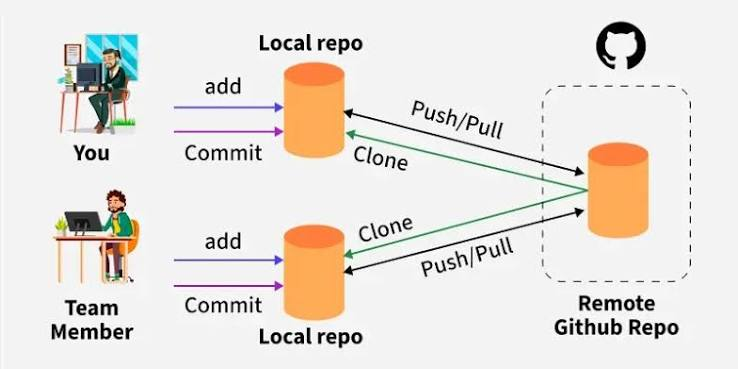
repository guide
1Why add a "repository" field?
The "repository" field is used to specify the location of your extension's source code. This makes it easy for users to find the source code and contribute to the extension's development.
2How do you add the "repository" field?
To add the "repository" field, open your package.json file and include the following lines:
"repository": {
"type": "git",
"url": "https://github.com/your-username/your-extension-repo.git"
},
Replace "your-username/your-extension-repo.git" with the actual URL of your repository.
3Important notes
Make sure to verify that the URL is correct and points to the right repository. If you are using Git, ensure that your extension's code is hosted on a Git platform such as GitHub, GitLab, or Bitbucket.