🌦️ I Built a Weather App Using JavaScript – Here's What I Learned
I BUILT A
WEATHER APP 🌦️
USING JAVASCRIPT
My Project • My Mistakes • My Lessons
A beginner developer's journey from writing code to building a real-world project.
Have you ever opened a weather application just to check whether it will rain today? We use these apps almost every day, but have you ever wondered how they actually work?
A weather app looks simple from the user's side. You enter a city name, click a button, and the application displays the temperature and weather conditions.
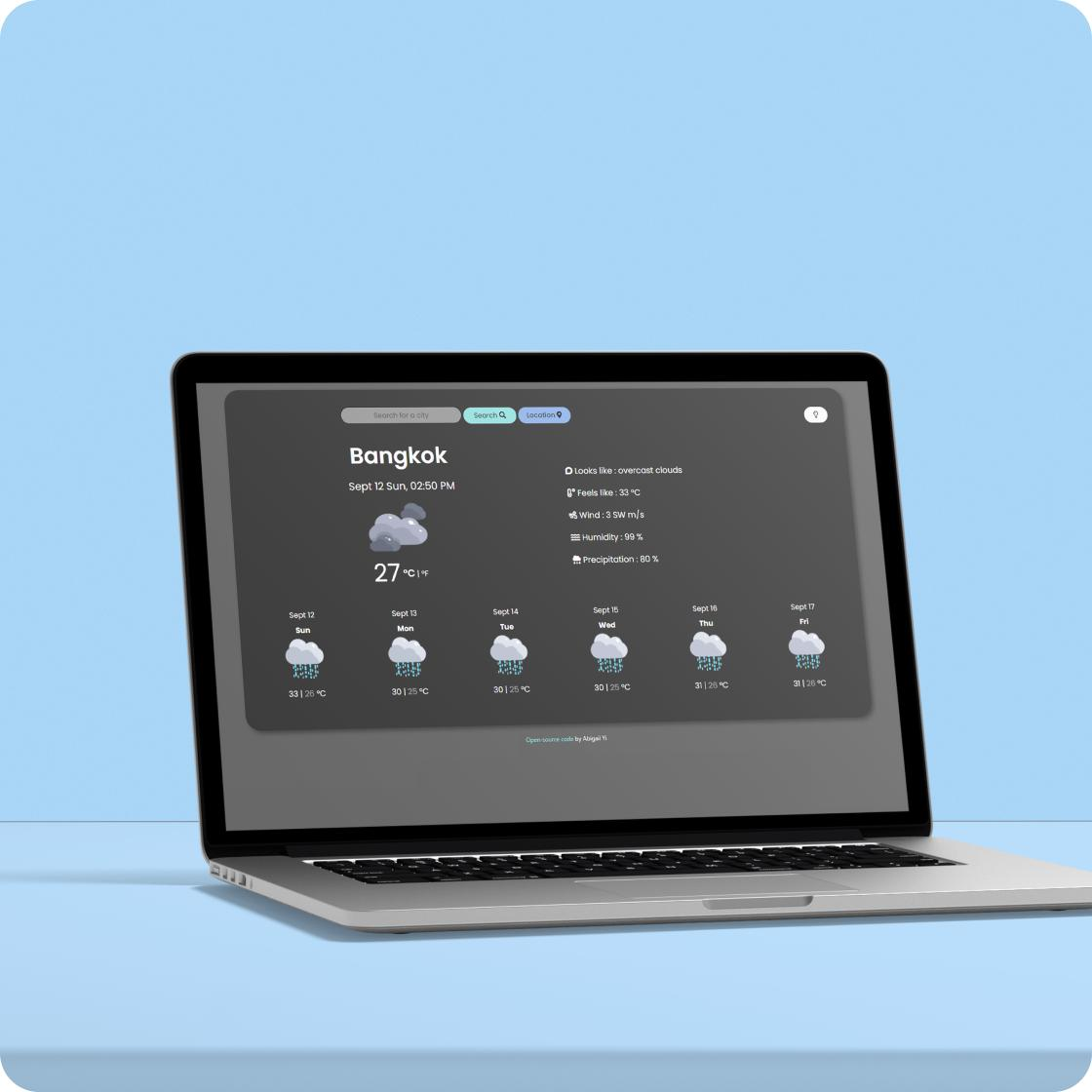
But when I decided to build my own weather app using JavaScript, I discovered that there was much more happening behind the screen.
It was not just about writing HTML, CSS, and JavaScript. I had to understand APIs, fetch data, work with JSON, handle errors, and connect different parts of my application.
In this article, I want to share my experience, what I learned, and some mistakes that helped me become a better beginner developer.
💻 1. Why I Decided to Build a Weather App
When learning web development, watching tutorials and reading documentation can help you understand concepts. But I believe building projects is one of the best ways to test what you have learned.
I wanted to create something practical instead of making another basic webpage.
A weather app was a good choice because it allowed me to use JavaScript to interact with real-world information.
My project used three main technologies:
- HTML: To create the structure of the application.
- CSS: To design the layout and make it look attractive.
- JavaScript: To handle user input, fetch weather information, and update the webpage.
I also used the OpenWeather API to retrieve weather information.
This project helped me understand how a frontend application can communicate with an external service.
🌐 2. My First Experience with APIs
Before building this project, I had heard the word API many times, but understanding it practically was different.
API stands for Application Programming Interface.
In simple words, an API allows two software applications to communicate with each other.
For my weather app, JavaScript sends a request to the weather service. The service processes that request and returns weather information.
For example, when a user searches for Mumbai, the application requests the weather information for that city.
The response contains information such as temperature, humidity, weather conditions, and other details.
This was one of the most interesting parts of the project for me.
I realized that we don't always need to collect or store every piece of information ourselves. We can use APIs to connect our applications with external services.
⚙️ 3. Understanding Fetch and JSON
One important JavaScript concept I learned during this project was the fetch() function.
It allows JavaScript to make network requests and retrieve data from an API.
A simplified example looks like this:
</>javascript:
async function getWeather(city) {
try {
const response = await fetch(
YOUR_API_URL
);
if (!response.ok) {
  throw new Error("Weather data not found");
}

const data = await response.json();

console.log(data);
} catch (error) {
console.log(error.message);
}
}
I also learned about JSON (JavaScript Object Notation).
JSON is a common format used to exchange data between applications.
At first, understanding API responses felt confusing. But after working with the returned data, I started understanding how to access specific values and display them on the webpage.
This experience made concepts like async, await, and try...catch much easier to understand.
🎨 4. Making the Interface User-Friendly
Writing JavaScript is only one part of building a website.
The user interface is equally important.
I wanted the application to be simple enough that anyone could use it without confusion.
Some important things I considered were:
- A clear search input for entering a city.
- A button to start the search.
- A readable temperature display.
- Weather information presented clearly.
- A layout that works on different screen sizes.
I also understood why CSS matters so much.
Even when an application works correctly, a confusing or poorly designed interface can make the user experience frustrating.
A good application should not only work; it should also be easy to use.
🐛 5. The Problems I Faced
Honestly, everything did not work perfectly on the first attempt.
Debugging was one of the biggest learning experiences.
Some common problems I had to understand while working on the project included:
API errors: An incorrect API URL or invalid API key can prevent the application from receiving data.
City search problems: User input needs to be handled correctly. An empty or incorrect city name should not result in a confusing experience.
JavaScript errors: Sometimes a value from the API response may be missing or different from what the code expects.
Displaying information: Getting data from an API is not enough. We also need to update the HTML elements correctly.
These problems taught me something important: errors are a normal part of programming.
Instead of getting frustrated whenever something breaks, I started checking the browser console, reading error messages, and testing my code step by step.
That changed the way I approached development.
📚 6. What This Project Taught Me
This small project gave me more practical knowledge than I expected.
Here are some important things I learned:
- How to work with a real-world API.
- How to send requests using JavaScript.
- How to understand JSON responses.
- How asynchronous JavaScript works.
- How to handle errors using try...catch.
- How to update webpage content dynamically.
- Why responsive design matters.
- Why testing is important before sharing a project.
Most importantly, I learned that knowing the definition of a technology and using it in a real project are two different things.
🚀 7. What I Would Improve Next
No project needs to be perfect on the first attempt.
If I continue improving my weather application, I would like to explore features such as:
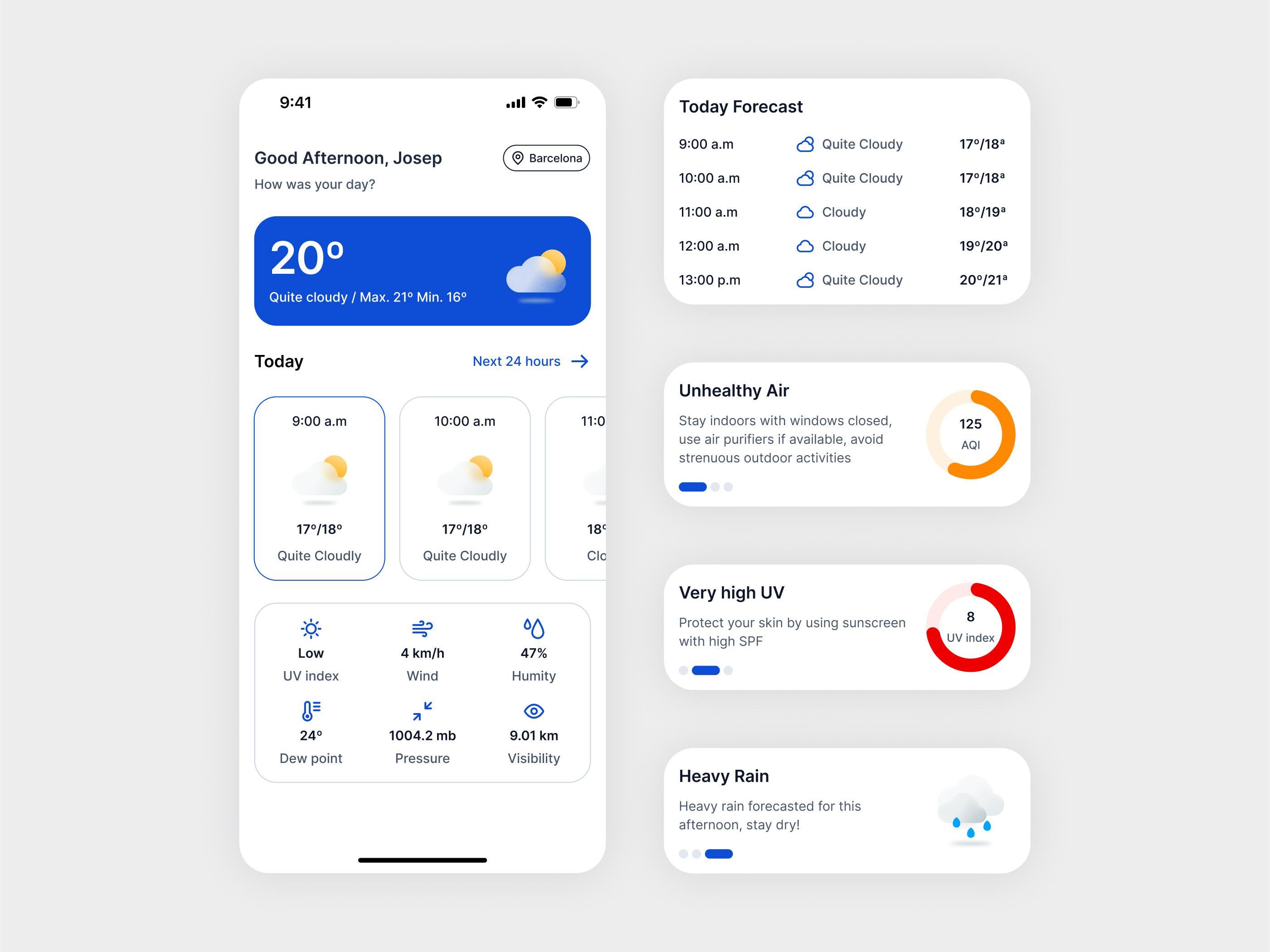
- A five-day weather forecast.
- Automatic location-based weather information.
- Better loading indicators.
- More helpful error messages.
- Improved mobile design.
- A cleaner and more modern interface.
These improvements would make the application more useful and provide more opportunities to practise JavaScript.
💡 8. My Biggest Lesson as a Beginner Developer
One thing I have started realizing is that we should not wait until we know everything before building something.
When I started learning web development, many concepts seemed difficult. Sometimes even a small error could take a long time to understand.
But building projects gives us opportunities to face those problems and learn how to solve them.
A weather app might look like a small beginner project, but it introduces several important concepts used in real-world applications.
My advice to anyone learning programming is simple:
Don't just watch tutorials. Try building something yourself. Make mistakes, read the errors, search for solutions, and keep improving your project.
You don't need to build a huge application to start becoming a better developer. Even a small project can teach you something valuable.
❤️ Final Thoughts
Building my weather app using JavaScript was a useful step in my web development journey.
It helped me connect different concepts that I had previously learned separately. I also became more comfortable working with APIs and understanding how frontend applications communicate with external services.
I still have many things to learn, but every project gives me another opportunity to improve.
For me, the real achievement was not simply creating a weather application. It was understanding how different technologies work together to solve a practical problem.
And this is what makes programming interesting: there is always something new to learn and build.
Start small, keep learning, and never be afraid of making mistakes. Your first project doesn't have to be perfect. It just has to be your first step. 🌱
MUST VISIT:
https://bit.ly/4rgikWP
Building a weather app is a great way to grasp asynchronous JavaScript and API handling. Encountering fetch errors and parsing JSON payload structures teaches valuable debugging skills early on. Keep experimenting with local storage for recent searches next.
Esto es genial, la diferencia se nota cuando manejas el error 404 al buscar una ciudad mal escrita; en la captura se ve claramente el mensaje. ¿Probaste también la versión gratuita del OpenWeather API con su límite de llamadas, o pasaste a la premium para evitar throttling? 😊