Achievement 2 @aehryanglee Tasks: "Basic Security On Steem"
This topic really important for us here in Steemit platform, if we kept ourselves aware and applied this basic steps on how we take care of our Password keys, out account will be perfectly secured. This really important to us so our Balances, tokens and the entire steemit account will be safe and well not scammed. Below is the Answers on my own point of view regarding with the Questions given on how we handled my steemit password keys.
Have You retrieve all your Keys on Steemit?
Password Keys retrieving is very important not only by downloading or storing it using Gmail account. It might also very risky to stored it to the Gmail account that is why I decided to retrieved all my password Keys by writing in manually to my Notebook. I preferred to type those password manually rather than storing it at the Phone files. Aside of that, I also screenshot it and save to my gallery but the most important thing I really did was to write the Password Keys on the piece of Paper.
Do you know each of there Key Functions and Restrictions?
Below is the table where Steemit Keys listed and it's functions:
| Password Keys | Functions | |
|---|---|---|
| Posting Key | Helps to Access of Posting Articles, Engaging by Comments and Reblogging other's Post. | |
| Active Key | It helps to Access Transaction inside of Steemit Platform and account just like Transferring steem tokens to other steemit members, e wallets, Powering up and Power down. | |
| Owner Key | This kind of key is also very important, it can be used to regenerate another new Password keys when account was hacked. It can help to retrieved your steemit account also. | |
| Memo Key | This key is used so we can be abled to create a simple note everytime when we want to transferred a simple message to other steemit users. | |
| Master Key | This key also helps to retrieved or Make a new Steemit Password keys. This kind of key is very risky to share because it has a great functions to the account. |
How Do you plan to keep your Master Password?
I also wrote it in the notebook along with the other password keys. It is very important so it will be safe from unexpected scam links attacking on the files like Gmail account. Some of my Steemit friends suggested that I can also stored on the Gmail account but I decided to write it in the Paper.
Do you know how to Transfer your Steem token to Another Steem user Account?
Gladly I learned making transaction or transferring of steem tokens to others.
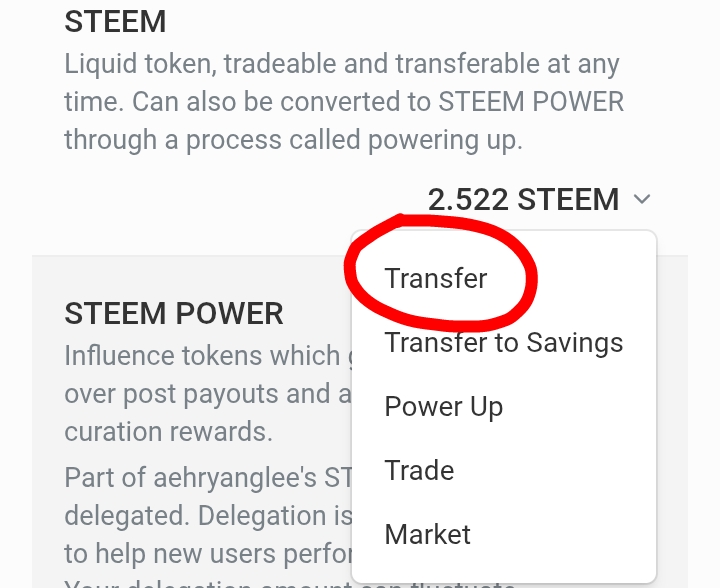
Step 1:
Click the Steem and Transfer.
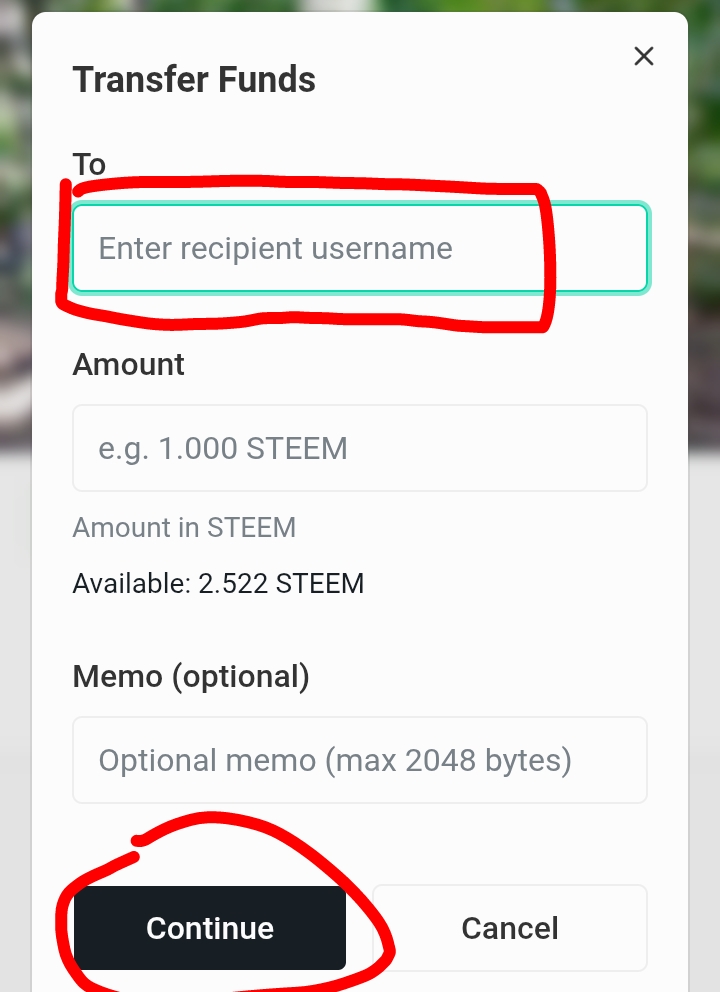
Step 2:
Input Steemit Username.
Step 3:
Next is the desired steem token amount.
Step 4:
Click Continue.
Do you Know How to Power Up Your Steem?
Powering up also needs Active Key in order to performed it very well. By Powering Up, there are few easy steps on how to do it.
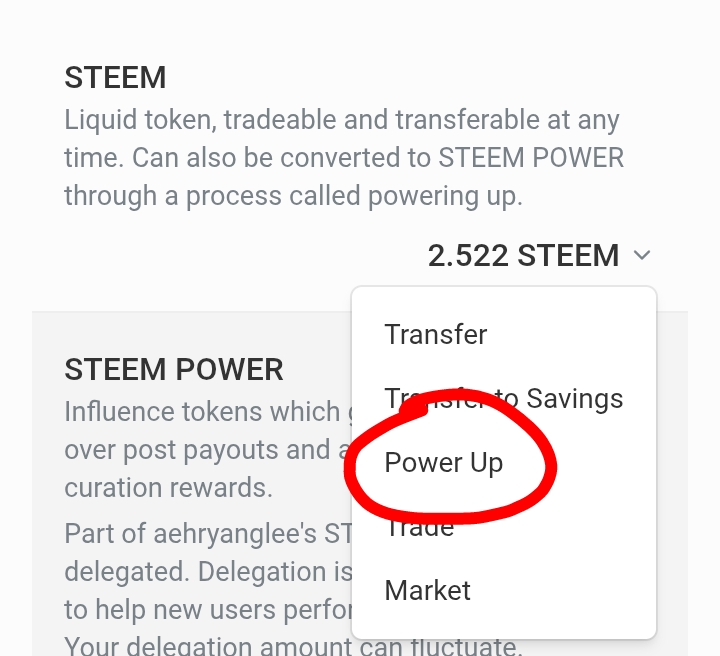
Step 1:
Go to Wallet and Click the Steem and choose Power Up.
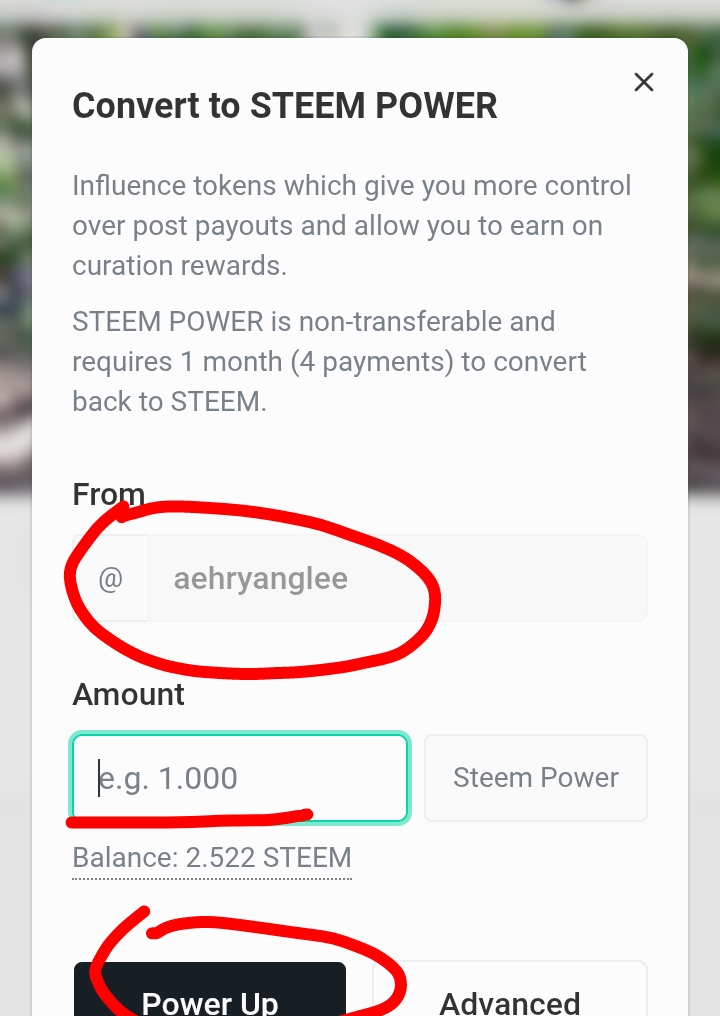
Step 2:
Input Your Steemit Username and the Amount of Steem tokens you want to Power Up and click Power Up.
This tasks is very important to us so our Account will become safe and secured. My Second Achievement is well make, and I really hope this will help to all especially to all newly steemian members. Have a nice day to all.