Air Conditioner Maintenance: Preparing Your Split System for Summer
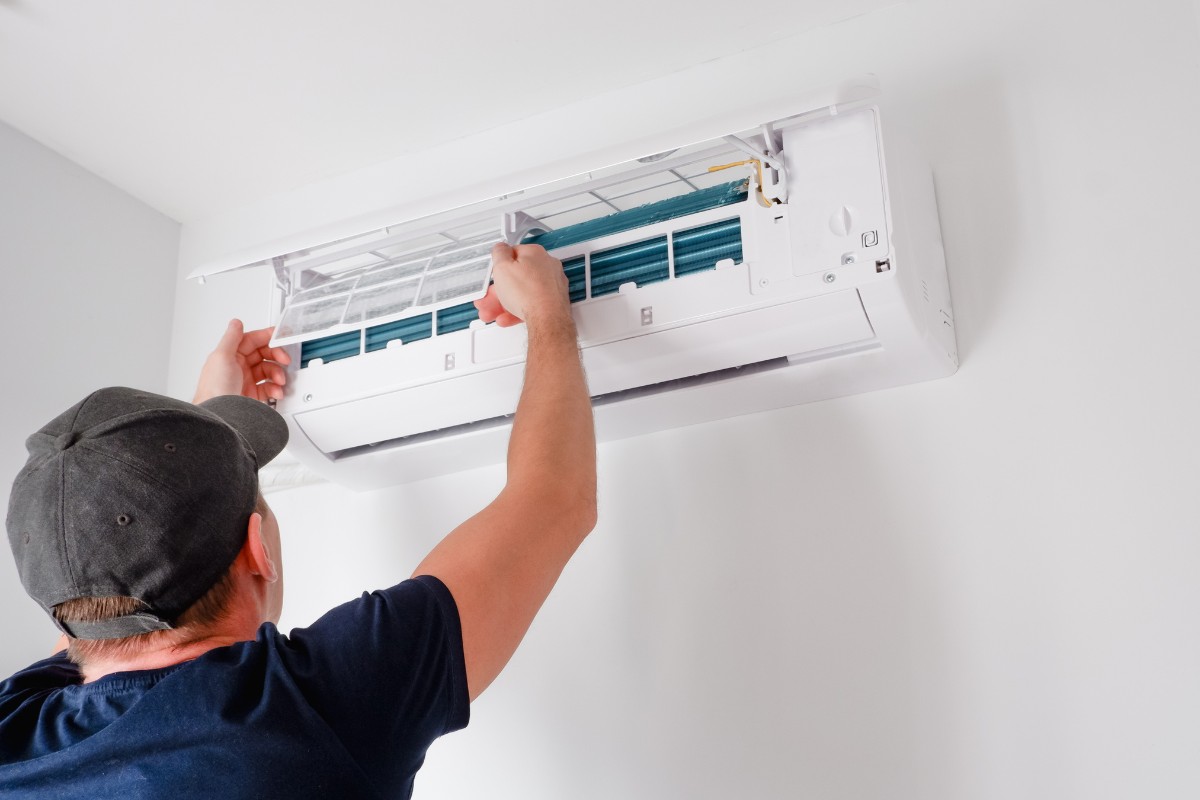
When the first hot day of summer arrives, nobody wants to discover that the air conditioner blows warm air, drips water onto the floor or smells musty. Split-system air conditioners are reliable machines, but they depend on clean filters, clear drains and free airflow. A little preparation in spring saves energy, prevents breakdowns and keeps the air in your home healthier. This guide covers the maintenance steps homeowners can safely do themselves.
Find Your Model's Manual
Indoor units, outdoor units and remote controls differ between brands and generations. Filter access, error codes and cleaning modes are explained in the user manual. Look for the model number on the side of the indoor unit, under the front panel or on the outdoor unit's rating plate. If you have lost the booklet, an online library of user manuals and service guides can help you find a copy for both new and older systems.
Step 1: Clean the Air Filters
Air filters in the indoor unit trap dust, pet hair and pollen. Dirty filters reduce airflow, increase energy consumption and can lead to icing on the coil.
- Switch off the unit and unplug it or turn off the circuit.
- Open the front panel as described in the manual.
- Slide out the filters.
- Vacuum loose dust, then rinse the filters with lukewarm water.
- Let them dry completely in the shade.
- Reinstall them correctly.
During heavy use, clean filters every two to four weeks.
Step 2: Wipe the Indoor Unit
Wipe the front panel and louvers with a soft, damp cloth. Avoid spraying water directly into the unit. Some models have additional filters, such as activated carbon or allergen filters, which may need replacement rather than washing.
Step 3: Check the Condensate Drain
Air conditioners remove moisture from the air, which drains through a pipe. A blocked drain can cause water to drip from the indoor unit or leak inside walls.
- Check that the drain outlet outside is clear.
- Look for algae or debris at the end of the pipe.
- If water drips indoors, the drain may be blocked or the unit may not be level.
Clearing internal drain lines may require a technician.
Step 4: Clean Around the Outdoor Unit
The outdoor unit needs free airflow to release heat.
- Remove leaves, branches and debris around it.
- Keep at least the clearance recommended in the manual.
- Gently rinse dust from the fins with a garden hose at low pressure, with the power switched off.
- Straighten bent fins carefully with a fin comb if needed.
Never use a pressure washer, which can damage the fins.
Step 5: Inspect Pipes and Insulation
The refrigerant pipes between indoor and outdoor units are wrapped in insulation. Damaged insulation reduces efficiency and can cause condensation. Check for cracks, missing sections or sun damage, and repair as needed.
Step 6: Test the System
Turn the system on in cooling mode and let it run for at least fifteen minutes. Check that:
- Cold air comes from the indoor unit.
- The outdoor unit's fan runs smoothly.
- There are no unusual noises or smells.
- Water drains properly.
Brand-Specific Features
Many modern air conditioners include self-cleaning functions, Wi-Fi control, energy monitoring and special dehumidifying modes. LG, for example, produces a wide range of air conditioners along with TVs, refrigerators and washing machines, and its menus and error codes differ between model series. ManualMachine's collection of LG manuals includes air conditioners alongside other LG appliances, so you can check how to activate self-cleaning or interpret a specific error code on your unit.
Error Codes
When a split system detects a fault, it often shows a code on the indoor display or blinks an indicator light. Codes can point to sensor problems, communication errors between indoor and outdoor units, or high-pressure protection. Look up the code in your manual before calling for service, and note it for the technician.
Energy-Saving Tips
- Set the temperature a few degrees below the outside temperature rather than as low as possible.
- Use timers and eco modes.
- Close curtains during the hottest part of the day.
- Keep doors and windows closed while cooling.
- Clean filters regularly.
When to Call a Professional
Some tasks require certified technicians:
- Refrigerant leaks or recharging.
- Electrical faults.
- Compressor problems.
- Internal coil deep cleaning.
- Drain line blockages inside walls.
Annual professional servicing is recommended for many systems, especially in hot climates.
Healthy Indoor Air
Dirty air conditioners can circulate dust, allergens and mold spores. Regular cleaning protects indoor air quality. If you notice a musty smell, clean the filters and consider a professional coil cleaning.
Heating Mode Preparation
If your split system also heats, repeat the filter and outdoor unit checks before winter. In heating mode, the outdoor unit periodically defrosts and drips water, so make sure that water can drain away without freezing into a hazard on paths or patios. Check that snow cannot block the outdoor unit's airflow, and consider a raised stand in snowy regions. The manual explains how the defrost cycle works on your model and which indicators show it is running.
Frequently Asked Questions
Why does my air conditioner drip water indoors? Common causes are a blocked drain, a dirty filter causing coil icing, or an unlevel indoor unit.
How often should filters be cleaned? Every few weeks during heavy use, and at least at the start of each season.
Is it normal for the outdoor unit to drip? Yes, especially in heating mode, when defrosting produces water.
Final Thoughts
Preparing your air conditioner for summer takes little time: clean the filters, wipe the indoor unit, check the drain, clear the outdoor unit, inspect pipe insulation and test the system. Keep your model's manual close for filter access, error codes and special functions, and book professional servicing when needed. Your reward is cooler air, lower energy bills and fewer surprises on the hottest days.
Thanks for the clear step‑by‑step on checking the model number—does your guide also cover how to interpret the error codes that often pop up after a spring clean? 🌞🛠️👍