Spotting Malicious Links: Best Practices Before You Scan QR Code from Camera
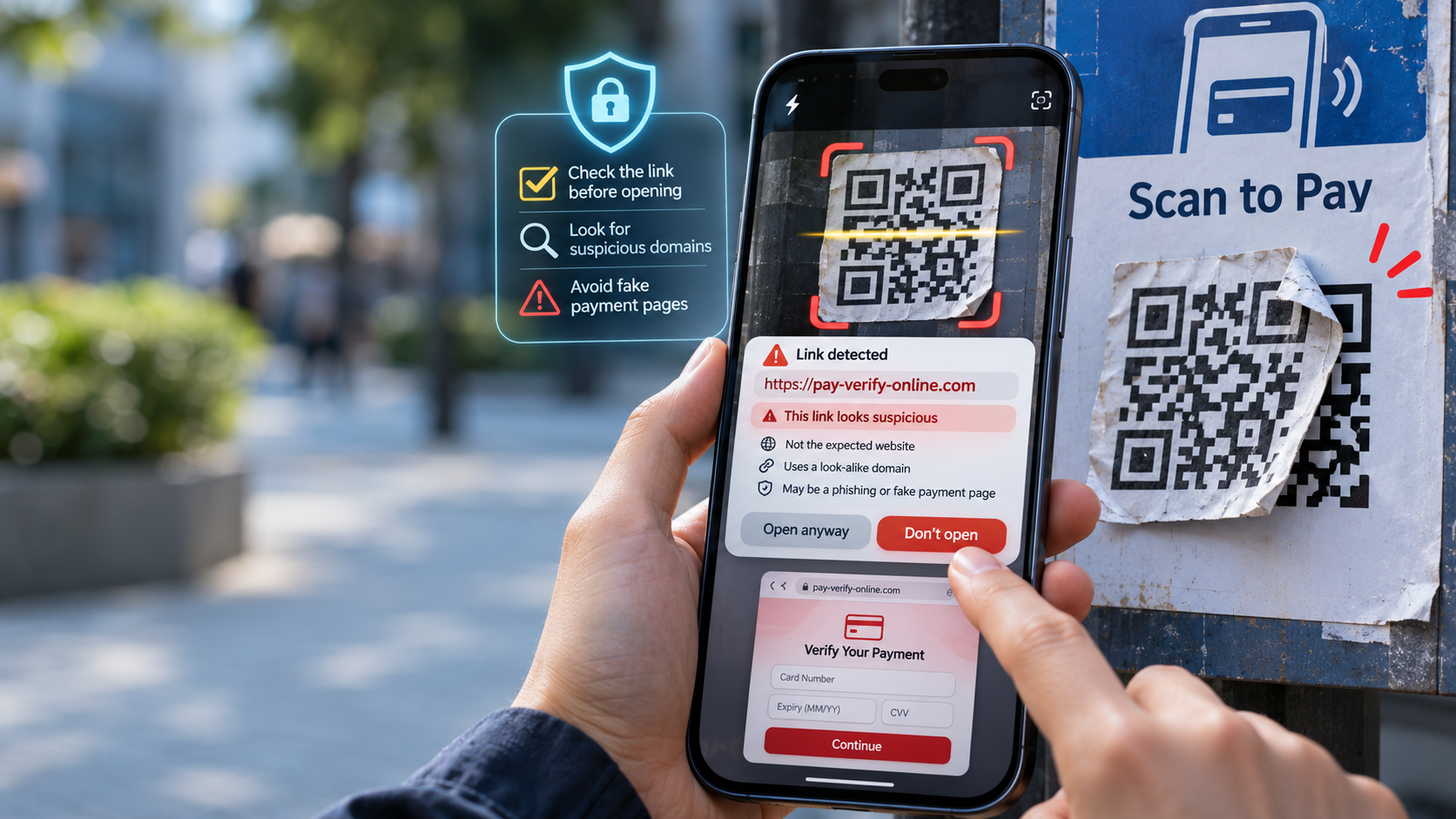
A QR code can take you from a restaurant table to a menu in seconds. It can also lead to a convincing fake payment page, a fraudulent login form, or an unexpected download.
If you searched for “spotting malicious links practices before” using your camera, start with the source of the code and then inspect its destination. The checks below can help you decide when to proceed, when to verify, and when to walk away.
What “Spotting Malicious Links Practices Before” a Scan Should Cover
A QR code hides its contents until a device reads it. That makes the code’s setting an important first clue, although a convincing setting alone cannot prove the destination is safe.
Look at where the code appears and what it asks you to do. A QR code on a business’s printed receipt may be reasonable; a sticker slapped over a parking meter’s original payment instructions deserves more scrutiny. Attackers can place their own codes on posters, packages, signs, and even legitimate-looking emails.
Before you scan, ask:
● Do I expect this code? An unsolicited message demanding that you scan immediately is a warning sign.
● Does the request fit the setting? A public menu should not need your bank password.
● Has the code been altered? Check for replacement stickers, damaged labels, or mismatched printing.
● Can I verify another way? Use a phone number or website you already know, rather than contact details printed beside a suspicious code.
If you decide to scan QR code from camera , use a tool that lets you review the decoded content before opening it. A preview gives you a chance to inspect the address; it does not certify that the page is legitimate.
Check the Destination Before You Open It
A URL can look familiar while sending you somewhere else. Focus on the actual domain name, which appears after https:// and before the next slash.
For example, in https://account.example.com/login, the site is under example.com. In https://example.com.attacker-site.com/login, the controlling domain is attacker-site.com. The familiar name at the beginning is only a subdomain.
Look beyond the padlock
HTTPS means the connection to the site is encrypted; it does not mean the site or its owner is trustworthy. Fraudulent sites can use HTTPS too.
Watch for misspellings, extra words, unfamiliar domain endings, and addresses that substitute similar-looking characters. A link that uses a URL shortener or redirects through several addresses is harder to judge from its initial preview. When in doubt, open a fresh browser tab and reach the organization through a known address or its official app.
Some QR codes contain more than a website link. They may prompt your device to start a call, compose a message, join a Wi-Fi network, or add contact details. Read the prompt carefully and decline any action you did not expect.
Use a Scanner Without Giving Up Control
Different devices and scanning tools handle QR codes differently. Some show the destination first; others may open it quickly, depending on the app and its settings. Before scanning an unfamiliar code, check whether your tool offers a preview and whether automatic link opening can be disabled.
An online QR code scanner may be useful when you want to decode a QR image or use a browser-based camera tool. Review its permission requests and privacy information first. Grant camera access only when needed, and consider that uploading an image may disclose whatever the code contains to the service.
Avoid submitting QR codes that contain sensitive information, such as private invitation links, account recovery codes, or credentials, to a service you have not assessed. If you are unsure how an online tool processes images, use a trusted local option instead.
Keep your phone, browser, and scanning app updated. Updates reduce exposure to known software vulnerabilities, but they cannot make a deceptive destination trustworthy. Even with a preview, pause before approving a download, granting permissions, or entering personal information.
Respond to Suspicious Pages and Accidental Scans
Scanning a code does not automatically mean an account has been compromised. The next action matters: opening a link, entering credentials, approving a prompt, or installing software can create additional risk.
If a page looks suspicious, close it. Do not use its contact information to verify the request. Instead, contact the organization through a known channel, such as the number on your payment card or the address saved in your records.
If you entered information
Act quickly and match your response to what you shared:
● Password: Change it on the legitimate site and anywhere else you reused it. Review account sessions and enable multifactor authentication if available.
● Payment details: Contact your bank or card issuer through its official number. Explain what happened and follow its instructions.
● Downloaded file or app: Avoid opening it. Remove it if you can and follow your device’s security guidance.
● One-time verification code: Contact the affected service immediately; an attacker may be trying to access your account.
Report a tampered physical code to the business or property owner. A photo of the code and its location can help them investigate, but avoid sharing any sensitive information displayed on your screen.
Frequently Asked Questions
Can a QR code be dangerous without opening its link?
A QR code can contain an unwanted instruction or destination, but risk depends on how the scanner handles it. A tool that displays the decoded content without acting gives you an opportunity to stop. Keep your device updated and avoid scanners that automatically open unfamiliar links or execute prompts without review.
How can I tell whether a QR code on a parking meter is legitimate?
Check for stickers covering original instructions, inconsistent branding, or signs of tampering. If payment is required, verify the accepted method through the parking operator’s known website, official app, or posted customer-service number from a trusted source. A code that looks professionally printed can still be fraudulent, so appearance alone is not proof.
Are shortened QR code links always malicious?
No. Businesses use shortened links for legitimate tracking and convenience. The problem is that a shortened address can conceal the final destination, making a preview less useful. If you cannot verify where it leads, avoid entering sensitive information and reach the organization through a known website or app instead.
What should I do if a QR page asks me to log in?
Pause before entering your credentials, even if the page carries a familiar logo. Check the domain carefully, then open the service independently through its official app or a saved address. If you already submitted a password, change it on the legitimate site and review recent account activity.
Conclusion
The search for “spotting malicious links practices before” scanning comes down to a few repeatable checks: assess the source, preview the content, inspect the domain, and verify unexpected requests through a trusted channel.
QR codes are convenient, but convenience should not replace judgment. Taking a few seconds to confirm a destination can help you avoid handing sensitive information to the wrong person.